

Popular Games
Last Played


Geometry Vibes 3D
0 plays



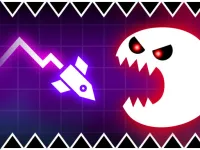























Geometry Vibes 3D
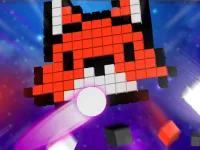
Get ready to take your reflexes and rhythm-based skills to new dimensions with Geometry Vibes 3D, a vibrant and dynamic 3D world that reimagines everything you loved about the original Geometry Vibes. The game offers stunning new visuals and fully reimagined levels that will challenge you in exciting ways. With its unique blend of skill and luck, this game is sure to keep you engaged and entertained. From its simple yet addictive gameplay to its stunning visuals, Geometry Vibes 3D is a game that's easy to learn yet hard to master. Whether you're a seasoned gamer or just looking for a fun and challenging experience, this game has something for everyone.
How To Play Geometry Vibes 3D
Playing Geometry Vibes 3D is easy. Simply use your mouse or tap the screen to play. For Player 1, use the Left Mouse Click or Spacebar to jump. In 2 Player Mode, Player 2 can use the Up Arrow Key. For mobile devices, simply tap anywhere on the screen to jump.
Controls and Features
Geometry Vibes 3D features a range of controls and features that make it easy to play. With 2 Player mode, you can challenge a friend to a fun and competitive experience. The game also offers 3D visuals that are sure to impress, with stunning new levels that will keep you on the edge of your seat. With its simple yet addictive gameplay, this game is perfect for gamers of all levels.
Tips
To master Geometry Vibes 3D, focus on developing your timing and reflexes. Practice regularly to improve your skills and try to beat your high score. The game also features a range of levels, so be sure to explore each one to find the challenges that suit you best.
FAQ
What is the best way to play Geometry Vibes 3D on a mobile device?
On a mobile device, tap anywhere on the screen to jump. Touch controls are fully supported, making it easy to play on the go.
How do I access 2 Player Mode in Geometry Vibes 3D?
To access 2 Player Mode, select the 2 Player option from the main menu. This will allow you to play with a friend and challenge each other to the highest score.
Can I play Geometry Vibes 3D with an arrow key on my keyboard?
Yes, you can play Geometry Vibes 3D using the Up Arrow Key on your keyboard. This is a popular option for players who prefer keyboard controls.
What is the difference between the original Geometry Vibes and Geometry Vibes 3D?
Geometry Vibes 3D features fully reimagined levels and stunning new visuals, setting it apart from the original game. The game also offers a range of new challenges and features that will keep you engaged and entertained.
About this game
- Supported devices
- Desktop
- Genre
- Arcade Games
- Release date
- 01 October 2026
- Latest update
- 01 October 2026
- Rating
- No ratings yet