

Popular Games
Last Played
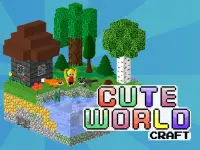

Cute World Craft
3 plays










































Cute World Craft
Cute World Craft is an immersive sandbox game where you can unleash your creativity and build unique worlds using physics components and portals. With a focus on exploration and experimentation, this game offers a fresh take on the traditional sandbox experience.
How To Play Cute World Craft
Start by selecting blocks or tools and placing them in the game world. As you build, you can manipulate bouncing balls and portals to create chaotic structures and explore the limits of physics.
Controls and Features
Play Cute World Craft using WASD or arrow keys to move and shift, and space to jump. You can also use letters like E or Q to rotate or manipulate objects. The game features a variety of tools and features, including timers and checkpoints.
Tips
When placing objects, try to move slowly to get the best results. Use the game's features to create challenges or adventures as you design structures.
FAQ
What are the controls in Cute World Craft?
The controls in Cute World Craft include WASD or arrow keys to move and shift, and space to jump. You can also use mouse clicks to select blocks.
What is the main objective of Cute World Craft?
The main objective of Cute World Craft is to design and create your own worlds using physics components and portals.
What features are available in Cute World Craft?
Cute World Craft features a variety of tools and features, including timers and checkpoints. You can also use letters like E or Q to rotate or manipulate objects.
What is the main mechanic of Cute World Craft?
The main mechanic of Cute World Craft is to manipulate physics components like bouncing balls and portals.
About this game
- Supported devices
- Desktop
- Genre
- Arcade Games
- Release date
- 18 March 2024
- Latest update
- 18 March 2024
- Rating
- No ratings yet