

Popular Games
Last Played
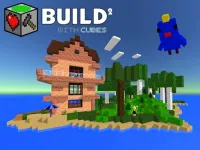

Build with Cubes 2
3 plays



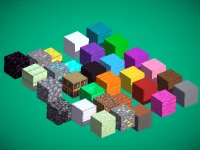









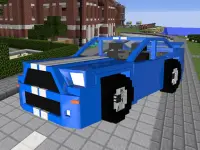






















Build with Cubes 2
Get ready to unleash your creativity in
How To Play Build with Cubes 2
To start, choose your terrain settings to generate a world, then use your mouse and keyboard to place blocks and explore. With a vast array of options at your fingertips, you can shape your world into anything you desire.
Controls and Features
The game offers a range of controls and features to enhance your building experience. You can move using WASD, place and rotate blocks with your mouse, and even select tools with a double click. With flying mode enabled, you can soar through your creations, and with the mirror feature, you can create symmetrical designs with ease.
Tips
To succeed in Build with Cubes 2, use your mouse carefully to place blocks. The inventory management can be slow, so plan your block placement before building complex structures.
FAQ
What are the controls?
WASD keys for movement, mouse for block placement, double click for tool selection, spacebar for flying mode, and shift for mirroring.
What is the main mechanic?
Placing blocks and manipulating portals and entities.
Can I build anything I want?
Yes, the game offers a vast array of building possibilities, limited only by your imagination.
Is there a specific mode for building?
, but you can experiment with different terrain settings and gameplay options to find your favorite way to build.
About this game
- Supported devices
- Desktop
- Genre
- Girls Games
- Release date
- 24 October 2024
- Latest update
- 24 October 2024
- Rating
- No ratings yet