

Popular Games
Last Played
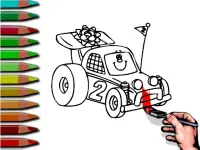

BTS Racing Car Coloring
3 plays



















BTS Racing Car Coloring
Get ready for a fun and creative experience with Multiplayer Games that's all about speed and art. This interactive game, Coloring, lets kids unleash their imagination and create unique designs. With colorful graphics and a simple interface, kids can pick an emblem, use coloring tools, and share their artwork with friends or family. This game encourages kids' creativity, teaches them about colors, and is easy to play. It's perfect for kids who love racing and art, and it's available online.
How To Play BTS Racing Car Coloring
This game is a blast for kids who love racing and art. To play, kids simply pick an emblem, use the coloring tools to fill it with colors, and then share their design. The game has a simple and intuitive interface that makes it easy for kids to get started.
Controls and Features
The game has a variety of features that make it fun and engaging. Players can click on an emblem to open the coloring tools, drag colors to fill the emblem, and use save or share buttons to finalize their artwork. The game also has sharing and chatting features that let players show off their designs to friends. With Hypercasual gameplay and a simple interface, kids can easily play the game and have fun.
Tips
Players need to click and drag carefully to get the best results. The color palette can be slow to respond, so patience is key when painting an emblem.
FAQ
How do I play the game?
Players can pick an emblem, use the coloring tools to fill it with colors, and then share their design. The game has a simple and intuitive interface that makes it easy for kids to get started.
What is the best way to get started with the game?
Players can start by picking an emblem and using the coloring tools to fill it with colors. The game has a simple and intuitive interface that makes it easy for kids to get started.
Can I play the game with my friends?
Yes, the game has sharing and chatting features that let players show off their designs to friends. Players can also share their designs with friends and family using the share button.
How do I save my artwork?
Players can use the save button to save their artwork and show it off to friends. They can also share it with family and friends using the share button.
About this game
- Supported devices
- Desktop
- Genre
- Multiplayer Games
- Release date
- 18 March 2024
- Latest update
- 18 March 2024
- Rating
- No ratings yet