

Popular Games
Last Played

3D Painter
1 plays






















3D Painter
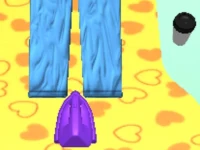
Get ready to unleash your creativity with 1 Player Arcade Games in the browser-based 3D Painter tool! This innovative game allows you to build and customize models and textures by layering effects and experimenting with various brushes. You can pick a brush and start creating on a blank canvas, layering textures to bring your vision to life.
How To Play 3D Painter
With a simple yet intuitive interface, you can rotate, zoom, and select brushes using your mouse, and press the space bar to paint or shift to undo. The arrow keys help you navigate around the model, giving you complete control over your creation.
Controls and Features
3D Painter lets you explore a wide range of creative possibilities with its Unity3D technology and WebGL rendering. You can tweak physics and experiment with different brushes to achieve the desired effect, making it a great tool for artists and designers.
Tips
Don't get frustrated when the brush gets stuck or layers act up - simply try going slow and carefully, and you'll be back on track in no time.
FAQ
How do I control the game?
Use your mouse to rotate, zoom, and select brushes, press the space bar to paint, and shift to undo. The arrow keys help you navigate around the model.
What is the main objective of 3D Painter?
It's to create and customize models and textures by layering effects and experimenting with brushes.
Are there any time limits or hints in the game?
No, there are no timers or hints in 3D Painter, allowing you to work at your own pace.
Can I customize the game's physics?
Yes, you can tweak physics to achieve the desired effect in your models and textures.
About this game
- Supported devices
- Desktop
- Genre
- Arcade Games
- Release date
- 18 March 2024
- Latest update
- 18 March 2024
- Rating
- No ratings yet