






Paint Craft Drawing
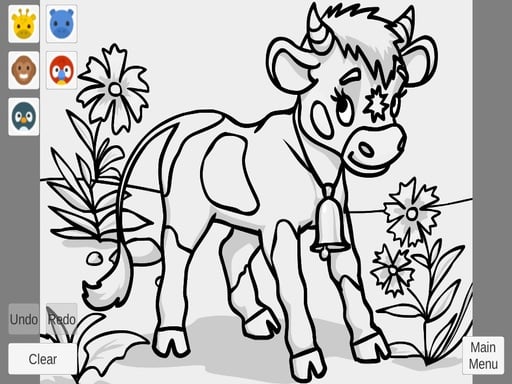
Get ready to unleash your creativity with Paint Craft Drawing, a digital canvas that's perfect for kids who love to draw and color. This fun and easy-to-play game is all about creating something unique, and it's a great way to develop your artistic skills.
How To Play Paint Craft Drawing
Playing Paint Craft Drawing is simple. Just open your browser, load the game, and pick a design or a blank page to start drawing and coloring. You can use your left click to paint or draw, and your right click for effects. There are also keyboard shortcuts like B for brush or C for color, so you can customize your experience.
Controls and Features
The main mechanic of Paint Craft Drawing is drawing and coloring on a digital canvas. You can use various tools to manipulate your drawings and apply effect filters to make them look amazing. The game has a simple yet addictive gameplay that's perfect for kids who love to create.
Tips
Here are a few tips to help you get the most out of Paint Craft Drawing. Click around to switch tools and try to avoid the tutorial pop-up that interrupts your flow. Remember, the goal is to create something unique, so don't be afraid to experiment and try new things.
FAQ
What are the controls in Paint Craft Drawing?
The controls in Paint Craft Drawing include left click to paint or draw, right click for effects, and keyboard shortcuts like B for brush or C for color.
What is the main mechanic of Paint Craft Drawing?
The main mechanic of Paint Craft Drawing is drawing and coloring on a digital canvas.
Can I customize my experience in Paint Craft Drawing?
Yes, you can customize your experience in Paint Craft Drawing using keyboard shortcuts like B for brush or C for color.
Is Paint Craft Drawing suitable for kids?
Yes, Paint Craft Drawing is suitable for kids who love to draw and color.
About this game
- Supported devices
- Desktop
- Genre
- Arcade Games
- Release date
- 18 March 2024
- Latest update
- 18 March 2024
- Rating
- No ratings yet